





We help L&D leaders deliver learning experiences that improve retention and transfer to achieve desired outcomes.
Shallow Learning Experiences
Hurt Your Business

Wasted Training Dollars
Inefficient learning experiences are less likely to result into any learning transfer, thus putting your training investment at stake.

Missed Opportunity
Shallow learning experiences put you at the risk of missing a potential opportunity to make business impact through learning.

Dissatisfied Employees
Disengaging learning experiences are one of the potential causes of a demotivated workforce that doesn’t feel cared about.
Get Started In 3 Easy Steps
Your success is our goal, and it is easy to work with us.
At Upside Learning, we are committed to working hand-in-hand with you at every step of the way.
Let’s Work Together!
Schedule a call
Schedule a consulting session with our learning solutions consultant and discuss your needs and challenges.
Plan & Craft your ideal learning solution
Together, we define the learning goals based on your needs, followed by designing a science-backed deeper learning experience.
Achieve results
Get the results you deserve with a deeper learning experience.
Our Services


That Speak for Themselves
By World's Leading Enterprises





Is Our Reward

"We partnered with Upside Learning to create our new joiners' onboarding training, and the results have been fantastic. Our gamified new joiners onboarding training revolutionizes the traditional orientation experience, ensuring a dynamic and inclusive introduction to our company. With a flexible design encompassing engaging games, quizzes, and moments for reflection, employees have the freedom to navigate the material at their own pace within the first week of joining. Available in three key company languages and featuring both written and voice-over content, this innovative approach fosters a sense of inclusivity and connection, making the onboarding journey not only informative but enjoyable, setting the stage for a positive and impactful start to every new employee's journey."
Organization Development Partner, People & Culture Area

"It was a challenge for us to find a provider who can develop customised content for a big organisation like us, with only an email as our source of reference. With Upside Learning that specialises in building custom content and with no off-the-shelf, it assured us of how exclusive our module will be. The module developed by the team has become a benchmark for us internally for all our upcoming e-learning modules. And, what delighted me the most throughout the experience is how open the team was towards feedback, and how supportive they were in ‘educating’ us on the power of e-learning if it is thoughtfully designed and developed with the learner in mind. Wonderful team to work with, that’s for sure."
Project Manager at a Leading Global Financial Services Organization

"Our approach at ZEE while building the digital induction module, in partnership with Upside Learning was to 'sweat the design process'. Our focus was largely on the design process in order to make the approach more powerful and impactful. The efficacy and success of the module was heavily dependent on a robust design and development framework. Keeping gamification at its core, the framework designed by Upside Learning, intrigued teams across levels, deeply engaging them with the digital induction module"
President – HR & Transformation, Zee Entertainment Enterprises Ltd.

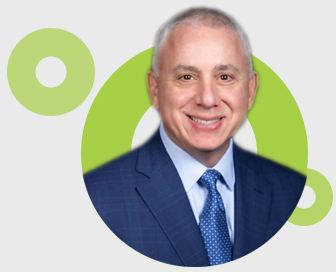
"With a strategy that prioritizes both business and employee needs, Upside Learning is on a mission to make a positive business impact for their clients by levering their learning solutions. The organization’s track record reflects a relentless effort towards helping businesses develop their talent."
Chief Strategy Officer and Principal HCM Analyst at Brandon Hall Group


"This was our first bespoke online course that we have developed, so we wanted an engaging and interactive way to get the learning content across to our staff. The addition of the game was a fun way for our staff to demonstrate what they had learnt."
eLearning Project Manager


"We've been working with Upside Learning for more than 2 years. With each new project, we've been impressed with their creative efforts. We also rely on their professional project management. Overall, Upside provides Tyco with a good product at a good value. We are happy to be working with them."
Director, Learning Programs


"We have worked with Upside Learning for the past two years building not only learning materials but also development tools for some roles in our organization. During these years, Upside Learning has been a professional, creative and expert partner that produces impactful content and materials, focusing always in top quality."
Procurement Excellence People Development Lead



Learn what deeper learning really involves and how it can lead you to achieve the desired outcomes.
Let’s Talk
By submitting this form you agree with Upside Learning's Privacy Policy.

